Hytale Multiplayer 2026: How to Play With Friends
Start with the simplest friend-hosted world, then compare direct connection, public servers and dedicated hosting only when your group needs them.
Short answer
Yes, Hytale has multiplayer routes for playing with friends. The safest starting point is a clean, same-channel friend-hosted world through the current official join flow. Add direct connections or a dedicated server only when the simple route does not fit; do not download a replacement launcher or unverified APK to fix a multiplayer problem.

Is Hytale Multiplayer Right Now?
The Hytale multiplayer question has two parts: whether friends can play together and which connection route fits the group. Start with the official Joining Friends flow and a host world. Public servers, direct connections and dedicated hosting solve different needs and should not be mixed into one download recommendation.
For most small groups, do not begin with server software or a random IP address. Update through the official launcher, open the current social or multiplayer flow, and let the host create or load the world. The official support article is the authority for the current button names and join steps; this page adds the decision framework and troubleshooting context around it.
Version freshness matters because multiplayer is a live technical boundary. As checked on August 18, 2026, the stable public build referenced by the official game-updates record remains Update 5 hotfix 0.5.7. That does not mean every pre-release build, modded client or community server uses the same files. When a friend cannot join, compare the channel and version before changing firewall rules or downloading anything.
A multiplayer guide should also be honest about what it cannot verify. This page does not publish a live server directory, does not claim that a private server is official, and does not provide a guessed download mirror. Those are separate intents with separate guides and checks.
Which Hytale Multiplayer Route Should You Use?
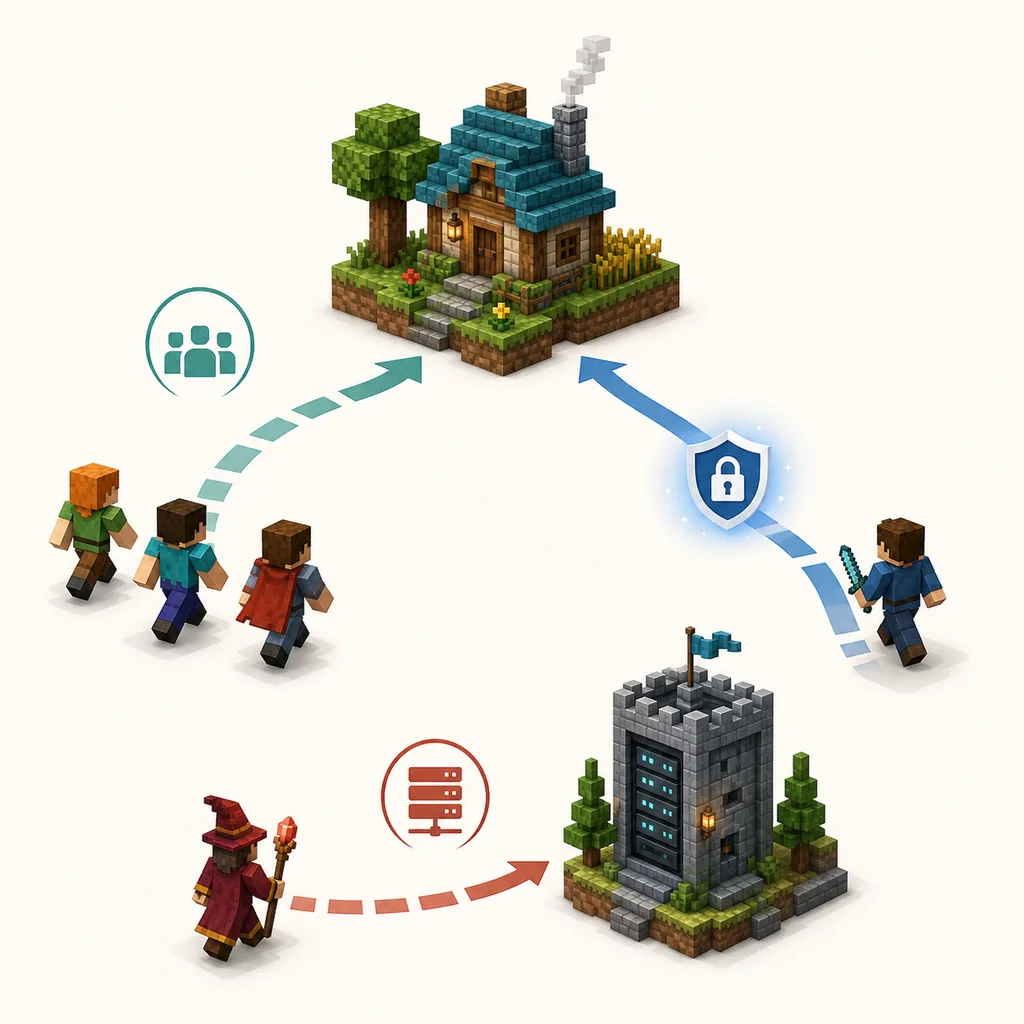
Choose the least complicated route that matches your group. A small friend session, a public community and a persistent dedicated server solve different problems, even though all of them may appear under the word multiplayer.
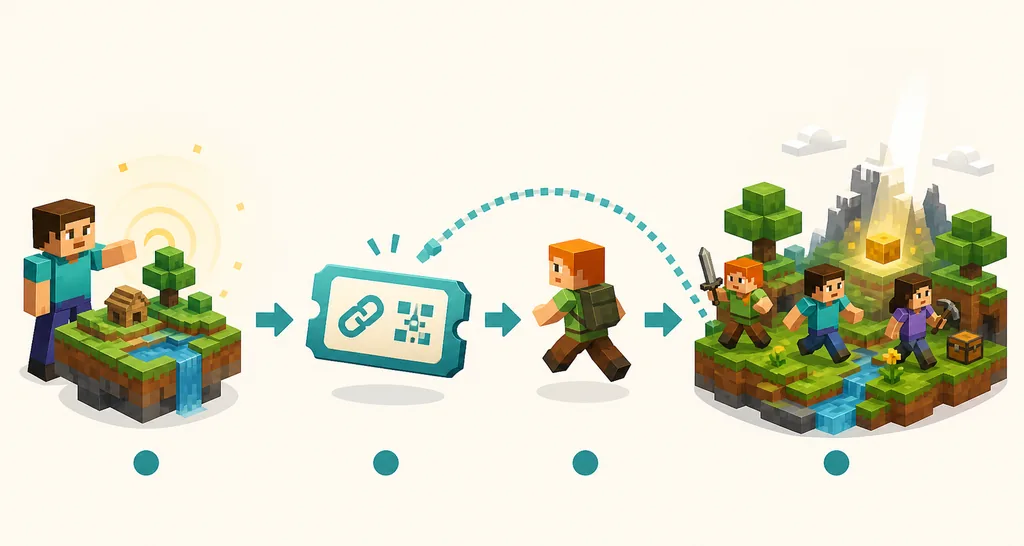
1. Friend-hosted world: best for a small group
Use this when one person is available to host and the group can play at roughly the same time. It is the easiest place to start because the host owns the session context and friends only need the current in-game join route. The trade-off is that the world may not be available when the host is offline, and the host's upload speed or network settings can affect everyone.
2. Direct connection: useful when the normal join route fails
A direct connection can help when friends are on different networks or a discovery screen does not surface the host. It may require the host to share a current address or use a carefully configured private network tool. Keep the route limited to people you trust, expose only the required service, and never share account credentials.
3. Public server: best for an ongoing community
Choose a public server when you want to play without waiting for one friend to host. Check the server profile, region, rules and audience before joining. Use the separate Hytale server list guide for discovery; a public listing is not proof that the owner, IP address or download link is official.
4. Dedicated server: best for persistence and administration
A dedicated server makes sense when the group needs a world that stays available, has an administrator and can handle backups, permissions and updates. It is a hosting project, not a quick fix for a friend invite. Use the separate Hytale server download guide for official files, Java, ports and backup planning.
How to Play Hytale With Friends
The following workflow is deliberately conservative. It keeps the first session reversible and gives you a clear checkpoint before you change router settings, install mods or open a port.
Step 1: Agree on the build and the play goal
Ask whether everyone is using the same stable or pre-release channel, and decide whether you want a short co-op session, a public community or a persistent server. Also decide whether mods are required. A version or mod mismatch can look like a network failure, so settle this before troubleshooting.
Step 2: Update through the official launcher
Each player should use the official Hytale launcher path and the same intended release channel. Do not download a separate patcher, APK, cracked launcher or 'multiplayer fix' because a video or server page says it is necessary. The official download page is the right fallback when you are unsure which installer to use.
Step 3: Let one person host a test world
The host should create or load a small test world first. A short test makes it easier to tell whether the problem is the host client, the friend invite, the router or the world itself. Avoid adding mods and custom server files until an unmodified connection works.
Step 4: Use the current friend or share-code flow
Open the current social or multiplayer area, generate the supported invitation or share code if your build offers it, and send it only to the people who should join. The friend should enter through the game's normal join action rather than pasting commands into a shell or downloading a helper program.
Step 5: Test one player, then add the group
Have one friend join first and check loading, movement, chat, latency and world permissions. If that works, add the remaining players. Record the exact error and the host/client versions if the second connection fails; vague reports such as 'multiplayer is broken' make the next diagnosis harder.
Step 6: Add complexity only after the base path works
Only after a clean friend session works should you test a direct connection, a private network tool, mods or dedicated-server hosting. Change one thing at a time. If a new tool asks for unrelated permissions, disables security software or replaces the launcher, stop and return to the official sources.
Hytale Multiplayer Connection Fixes
Work from the least invasive check to the most technical one. The goal is to identify the failed layer instead of repeatedly reinstalling files.
The friend cannot see the host
Confirm that both players are signed in to the intended accounts and release channel, then restart the game and repeat the official join flow. If the host is behind strict NAT or the discovery service is unavailable, move to the supported direct-connection guidance rather than trusting an unrelated mirror.
The join starts but times out
Check whether the host world is still open, whether the host's network has a stable upload path, and whether a firewall or router rule is blocking the required traffic. Change one network setting at a time and write down the previous value so you can undo it. Do not expose a broad port range or turn off all security protections.
One friend joins but another does not
Compare the second player's version, platform, mods, account state and network path with the player who succeeded. A single incompatible mod or a different release channel can isolate one client. Test without mods before deciding that the server or router is at fault.
The world loads but feels unstable
Separate latency from performance. High ping, rubber-banding and disconnects suggest a connection path; stutter on every machine may point to client settings, world load or server resource limits. Check the PC requirements guide for hardware context and the server guide for host-side limits.
A guide asks for an unknown installer
Stop. A normal friend join should not require an APK, a cracked launcher, a random ZIP, a browser extension or a request to disable antivirus protection. Return to the official Hytale download and support pages, and treat the community page as unverified until the owner explains the requirement through a trustworthy channel.
Multiplayer, Servers and Public Lists Are Not the Same
Keeping these search intents separate makes the answer safer and makes internal links more useful.
| Route | Use it when | What this page does not promise |
|---|---|---|
| Friend-hosted multiplayer | You want to play with a small trusted group now | The world is not necessarily persistent when the host is offline |
| Direct or private connection | The normal join route cannot reach a friend across networks | A private connection is not automatically an official server |
| Public server list | You want to discover an existing community | A listing does not prove safety, uptime or official ownership |
| Dedicated server | You need persistence, administration and backups | Server files and hosting need a separate setup guide |
| Modded multiplayer | Everyone has confirmed the same compatible mod setup | A mod download page is not a substitute for version checks |
Bottom Line
Hytale multiplayer is real, but the best route depends on the group. Start with a same-channel, unmodified friend-hosted test world and the current official join flow. If that succeeds, add more players; if it fails, record the exact layer that failed before changing router settings or files.
Use direct connections only when you understand the network boundary, use public server lists as discovery aids rather than official endorsements, and use the server download guide when you need a persistent host. That separation keeps 'how to play with friends' from turning into a risky download page.
The stable version, platform and menu labels can move during Early Access. Recheck the official support and game-update pages when a future patch changes the join flow, and never let an old tutorial pressure you into installing an unrelated launcher or sharing account credentials.
Frequently Asked Questions
Official References
- Hytale Support: Joining Friends
- Hytale official game updates
- Hytale official download page
- Hytale Server Manual
Checked: August 18, 2026. Official Hytale support, game-update and download pages were checked before publication. The three WebP visuals on this page are clearly labeled conceptual illustrations, not official screenshots or live game UI.
Related Hytale Guides
- Hytale Server List — For discovering and evaluating public communities.
- Hytale Server Download Guide — For persistent hosting, files, ports and backups.
- Hytale System Requirements — For checking PC, laptop and performance headroom.
- Hytale Controller Support — For gamepad setup and input troubleshooting.
- Hytale Mods Guide — For compatible mod sources and safe setup boundaries.
- Hytale Crossplay Guide — For the separate PC, console and mobile platform-compatibility question.