Hytale Mods: Safe Download and Modding Guide for 2026
Learn how Hytale mods work, where trustworthy mod files should come from, what players need to check before installing anything, and how creators can prepare a safer modding workflow.
Short answer
Hytale is in public Early Access, and the September 2026 update context makes the exact client or server channel important for mods. Treat every download, launcher, server, mod, price, and system-requirements claim through that lens: the game is playable, still changing, and official pages remain the safest source for current files and account access. Do not assume that Minecraft mod loaders apply to Hytale. Hytale has its own creator and server ecosystem, so check the current Hytale documentation and test a mod against the exact build before using it in a shared world.
What Is the Official Status of Hytale Mods?
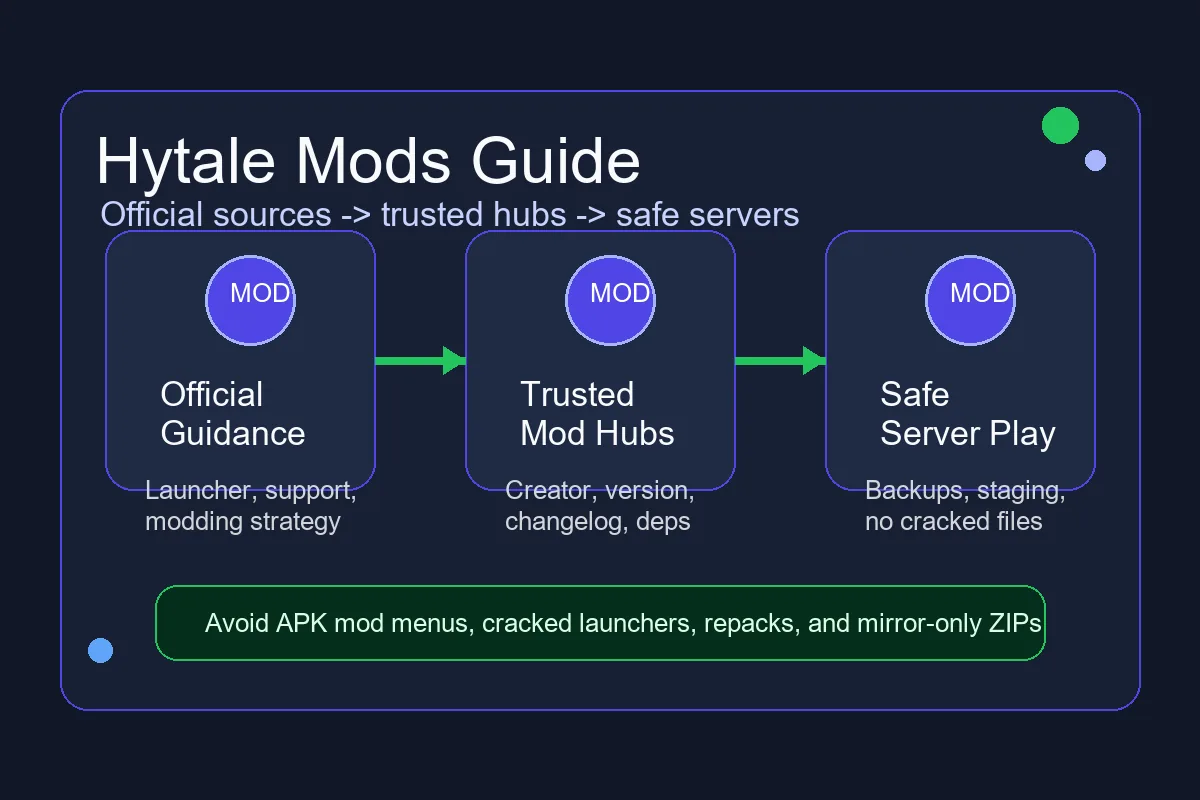
Hytale was built with modding as a core part of the game rather than an afterthought. Official posts describe a server-side-first model, asset tools, creative tools, data-driven content, and a long-term plan for modders to build worlds, items, NPCs, systems, UI, and custom experiences. That does not mean every file you find in search results is safe or official.
The important distinction is source control. A real Hytale mod should be connected to a known creator, a recognized mod hub, an official contest page, a trusted server, or clear documentation. A vague download button promising unlimited Hytale mods, Android mod menus, free premium access, or a no-launcher crack is a different risk category.
Hytale is now in public Early Access, which launched on January 13, 2026. Treat every download, launcher, server, mod, price, and system-requirements claim through that Early Access lens: the game is playable, still unfinished, and official pages remain the safest source for current files and account access.
Where Should You Get Hytale Mods?
Use this table to separate high-trust mod sources from risky shortcuts. Trust is not only about the domain name; it is also about whether the file, creator, version, and instructions are traceable.
| Source | Best use | Safety check |
|---|---|---|
| Official Hytale news, support, and launcher | Understanding current mod support, requirements, and game updates | Prefer official instructions for launcher behavior, supported platforms, and account security. |
| CurseForge or contest-managed pages | Finding public community mods and event submissions | Check creator name, update date, version notes, dependencies, comments, and moderation signals. |
| Trusted community documentation | Learning concepts, tool setup, and examples | Use docs for learning, but download executable files only when the source chain is clear. |
| A private or community server | Joining server-side experiences that load content through the server | Confirm the server reputation, rules, region, moderation policy, and whether it asks you to run extra files. |
| Mirror ZIPs, repacks, cracked launchers, APK mod menus | Not recommended | Avoid these. They often mix mod intent with account risk, malware risk, or unsupported mobile claims. |
How Hytale Mods Work in Practice
Hytale modding is different from the old habit of downloading a large client-side pack and hoping every dependency matches. Official communication emphasizes that the host of the game or server matters. In many cases, players should be able to join a modded experience without manually juggling a folder full of client mods.
For players, the practical question is simple: do you need to install a file yourself, or does the server provide the experience? If a server claims you must run a separate launcher, disable security, install an APK, or use a cracked account flow, slow down and verify the claim against official guidance.
For creators, the workflow is broader. Hytale's creator ecosystem includes asset editing, Blockbench-oriented model work, world generation tools, data configuration, scripts, and server-side behavior. That creates room for simple cosmetic packs, custom worlds, RPG systems, minigames, creative tools, and deep server experiences.
Do not assume that Minecraft mod loaders apply to Hytale. Hytale has its own creator and server ecosystem, so use current Hytale documentation and trusted community guidance instead of copying a Minecraft mod workflow.
Server-side-first experiences
A server-side-first model reduces the need for every player to manually match a mod list. It also makes server operators responsible for version control, compatibility testing, and moderation.
Asset and data-driven content
Many Hytale customizations can be built around assets, configuration, models, brushes, NPC behavior, and world-generation pieces. This makes modding accessible to creators who are not full-time programmers.
Code mods and deeper systems
More advanced creators may work with APIs, server logic, or plugin-style behavior. These files deserve stricter review because they can affect server stability, performance, and security.
Mobile and APK claims
A Hytale mod file is not the same thing as a verified Android APK. Treat Hytale mobile mod downloads, mod menus, and APK packs as unverified unless official Hytale sources confirm that platform and workflow.
Safe Hytale Mods Setup Checklist
Before installing, enabling, or joining a modded Hytale experience, run through these checks. They take less time than recovering a corrupted world or compromised account.
- Confirm that your Hytale launcher and game build are current before testing mods.
- Read the mod page for supported game version, dependencies, known issues, and update date.
- Prefer files linked from a recognized mod hub, official contest page, or trusted creator profile.
- Back up saves, worlds, and server folders before enabling any new mod.
- Test one mod at a time in a staging world instead of changing a live server immediately.
- Avoid any mod that asks for account credentials, browser cookies, unrelated installers, or antivirus exclusions.
- Keep server mods, client files, logs, backups, and downloaded archives in clearly labeled folders.
- Remove a mod first if crashes, missing assets, or version mismatch warnings begin after installation.
Hytale Mods for Players vs Creators
Search results often mix player intent and creator intent. The right answer depends on what you are trying to do.
| Intent | What you need | What to avoid |
|---|---|---|
| Play a modded server | A reputable server, clear rules, and an official launcher-based flow | Servers that demand cracked launchers, unknown patchers, or account sharing. |
| Install a public mod | A recognized mod page with version notes, dependencies, and creator history | Mirror-only downloads with no changelog, no creator identity, and no moderation. |
| Create assets or models | Official tool guidance, Blockbench workflow notes, asset examples, and backups | Editing production files without a test copy or version control. |
| Run a modded server | A staging world, compatibility testing, moderation rules, and rollback backups | Enabling multiple untested mods on a public server at once. |
| Find mobile mods | Official mobile/platform confirmation first | APK mod menus, fake mobile launchers, and claims that bypass official availability. |
Safe Download Rules for Hytale Mods
The safest mod download has a clear chain: creator identity, hosting platform, supported Hytale version, changelog, install instructions, permissions, and a way to report issues. If several of those pieces are missing, treat the file as untrusted until proven otherwise.
Be extra careful with pages that combine Hytale mods with cracked multiplayer, free premium accounts, APK unlockers, online-fix language, torrent mirrors, or forced browser notifications. Those pages are usually optimized for high-volume searches, not for player safety.
Creators should also protect their audience. Publish clear version notes, list dependencies, explain whether the mod is server-side or player-installed, and avoid asking users to disable security tools. Server owners should document the mod stack so players know what experience they are joining.
Practical rule
If a Hytale mod cannot explain who made it, what version it supports, where it came from, and why it needs its permissions, do not install it.
Common Hytale Mod Problems
Most mod issues are version, dependency, or source problems. Start with the newest change instead of reinstalling everything.
| Problem | Likely cause | First fix |
|---|---|---|
| Game or server will not start | Unsupported game build, missing dependency, or incompatible mod | Disable the newest mod, check logs, and verify supported versions. |
| Missing textures or models | Asset pack mismatch or incomplete download | Re-download from the original source and test in a clean world. |
| Friends cannot join a modded server | Server version, whitelist, region, or mod validation issue | Test with a clean profile and review the server logs. |
| Performance drops | Heavy world generation, too many scripts, or host limits | Lower server load and test each mod separately. |
| A page promises Android mod support | Unverified mobile APK or mod-menu claim | Check the Hytale Android status before downloading anything. |
Bottom Line
Hytale mods are one of the strongest reasons players keep searching for the game, but the safest path is source-first. Learn from official Hytale posts, use recognized mod hubs, test changes in staging worlds, and avoid files that mix modding with cracked launchers or APK shortcuts.
Frequently Asked Questions
References
- Hytale official Early Access launch
- Hytale Modding Strategy and Status
- Hytale New Worlds Modding Contest
- Hytale Server Manual
- Hytale official download support
Last updated: 2026-09-09