Is Hytale on Android? 2026 Mobile APK Status and Safe Ways to Play
A practical guide for players searching Hytale APK, Hytale mobile beta, and Android launcher options without mixing up unofficial files with the official release.
Short answer
As of September 9, 2026, Hytale's official download page lists the Hytale Launcher for Windows, macOS, and Linux; it does not list a verified Android APK or Google Play release. Treat third-party Hytale APK claims as unofficial unless Hytale confirms them through its own site or support center.
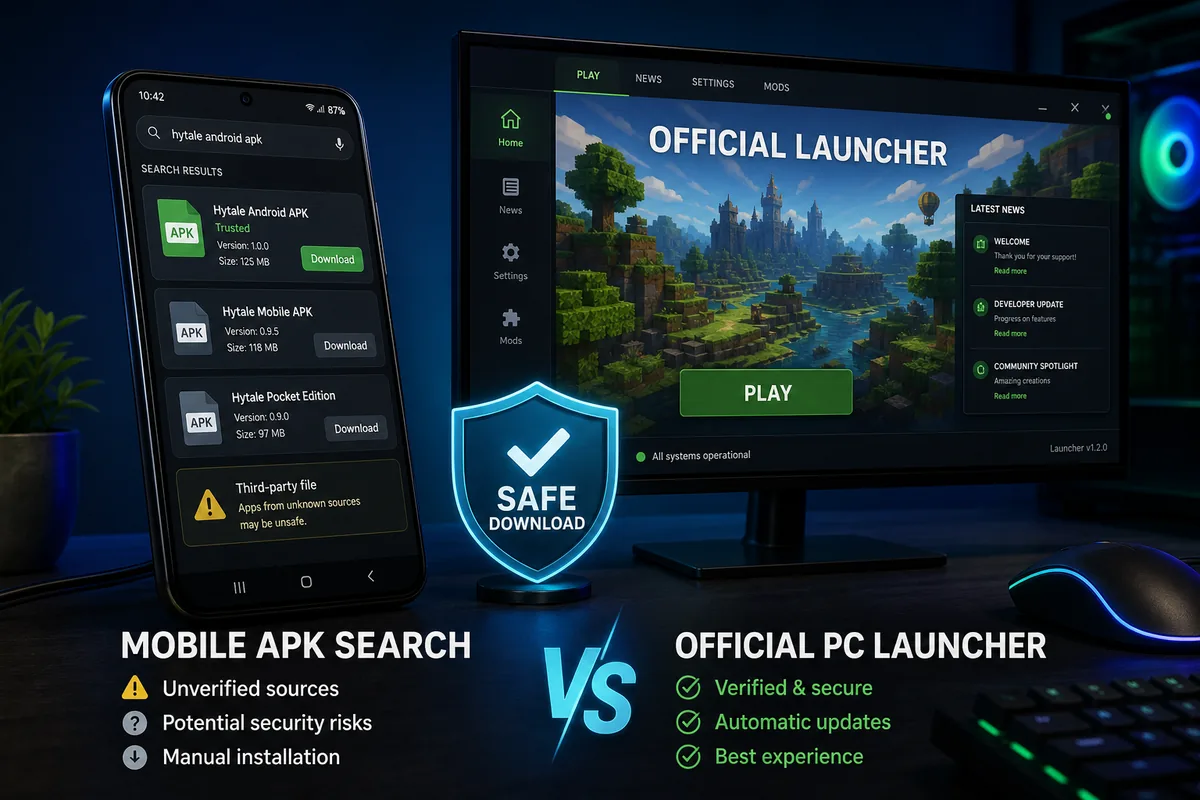
September 2026 update: the official launcher is not an Android APK
Hytale's early-access communication is important for Android searchers because it can be mistaken for a mobile launch. Current official messaging talks about launcher-based access and desktop platforms. It does not turn third-party APK mirrors into official downloads.
If you see a page claiming to offer a Hytale Android beta, compare the claim with hytale.com/download and the Hytale support center. A real mobile release should have a matching official announcement, verified publisher information, and consistent support documentation.
The safest answer is simple: Hytale is not officially distributed as an Android APK at the time this guide was updated. The official route promoted by Hytale is the Hytale Launcher, which is designed for desktop play rather than direct Android installation.
That distinction matters because many players search for Hytale APK after seeing the phrase "Get the Hytale launcher and start your adventure in Orbis" on official download pages or search snippets. The launcher message refers to the official Hytale launcher experience, not a confirmed Android launcher app.
Why Do People Search for Hytale APK and Hytale Mobile?
The search demand is real because Hytale is a sandbox RPG with the same broad appeal as games that already have strong mobile audiences. Players naturally expect a portable version, especially when they see terms like Hytale mobile, Hytale APK, Hytale port Android, or download Hytale for Android.
Search engines also blend different user intents. One person may want the official PC launcher, another may want to know whether a Hytale mobile beta exists, and another may be checking whether an APK file is safe. A useful Android status page should separate those questions instead of pushing every visitor toward a download button.
This is why this page is intentionally written as a status guide. If you want the broader download overview, installation notes, and latest site download information, start from our main Hytale APK page and then use this guide to understand the mobile-specific caveats.
Hytale Android, APK, and Launcher Status at a Glance
Use this table to avoid mixing together official desktop access, unofficial APK claims, and possible future mobile news.
| Search intent | Current status | Best action |
|---|---|---|
| Hytale official launcher | Official desktop launcher is the trusted route. | Use hytale.com/download and avoid copied installer links. |
| Hytale early access | Launcher/platform communication, not a native Android APK. | Verify supported platforms on official Hytale pages before downloading. |
| Hytale Android APK | No confirmed official Android APK is listed by Hytale. | Treat third-party APK files as unofficial and verify carefully. |
| Hytale mobile beta | No public official Android beta is confirmed here. | Follow official Hytale news before installing beta claims. |
| Hytale port Android | Searches usually refer to unofficial ports or user requests. | Do not assume a port is safe, complete, or approved. |
| Play Hytale from an Android phone | Possible through PC streaming setups if you own a capable desktop. | Use Steam Link, Moonlight, or similar remote-play tools with your own PC. |
Safe Ways to Play or Follow Hytale from Android
If your goal is to experience Hytale while using an Android phone, there are safer options than installing a random APK file.
Use the official launcher on PC first
Install Hytale from the official download page on a supported desktop platform. This keeps account access, launcher updates, and game files tied to the expected distribution channel.
Stream your PC to your Android device
If Hytale runs on your computer, remote-play tools can display and control the desktop session from your phone. This is not the same as a native Hytale Android APK, but it avoids unknown installers.
Track official mobile announcements
For a real Hytale mobile release, wait for confirmation from Hytale's official site, support pages, or verified social channels. A trustworthy release should not require obscure mirrors or forced app bundles.
Use APK pages only as information sources
If you browse APK pages, compare their claims with official information. Version numbers, release dates, file sizes, and platform claims should not be treated as facts unless they match official sources.
Hytale APK Safety Checklist
Before installing any file that claims to be Hytale for Android, check for these warning signs. One red flag is enough to slow down and verify again.
- The page says it is official, but the domain is not controlled by Hytale or Hypixel Studios.
- The file requires a survey, extra downloader, password, or unrelated app installation before access.
- The APK version number does not match any official announcement.
- The page promises features that are not mentioned by official Hytale sources, such as full mobile cross-play or a public Android beta.
- The file requests permissions unrelated to a game, such as SMS access, call logs, or accessibility control.
- The download page hides its contact details, privacy policy, file hash, or update history.
Practical rule
If a Hytale APK page cannot explain where the file came from, what version it represents, and why it is safe, do not treat it as a reliable Android release.
Hytale Mobile vs Hytale APK vs Hytale Launcher
These terms sound similar but mean different things. Hytale mobile would mean an official phone or tablet version. Hytale APK usually means an Android installer file, which may be unofficial. Hytale Launcher is the official desktop launcher route promoted by Hytale. Keeping those terms separate helps you avoid installing the wrong thing.
When Should You Trust a New Hytale Android Claim?
Because Hytale platform availability can change, the right approach is not to assume Android will never happen. Instead, look for clear confirmation signals before changing your download behavior.
- The official Hytale download page adds Android, Google Play, or a verified mobile platform option.
- The Hytale support center publishes a mobile installation or Android launcher article.
- Hypixel Studios announces mobile availability through an official news post rather than a third-party APK page.
- The Android package appears under a verified publisher account, with matching package name, privacy policy, and support links.
- Independent community reports point back to the same official source instead of circulating mirror-only APK files.
Until those signals exist, the safest SEO-relevant answer for searchers is: Hytale Android interest is real, but the official route remains the desktop launcher and verified Hytale channels.
Bottom Line
For Android users, the most accurate 2026 guidance is to treat Hytale as a desktop-first official download until Hytale announces otherwise. That does not mean mobile will never happen; it only means a trustworthy Android APK should be backed by official confirmation.
If your search started with hytale port android, hytale mobile APK, or hytale official launcher Android, the key next step is verification. Use the official launcher for desktop access, consider remote play if you need phone access, and avoid APK files that cannot prove their source.
Frequently Asked Questions
References
Last updated: 2026-09-09